
Depending on the browser and operating system, you may see a box similar to below. If so, choose the download option.
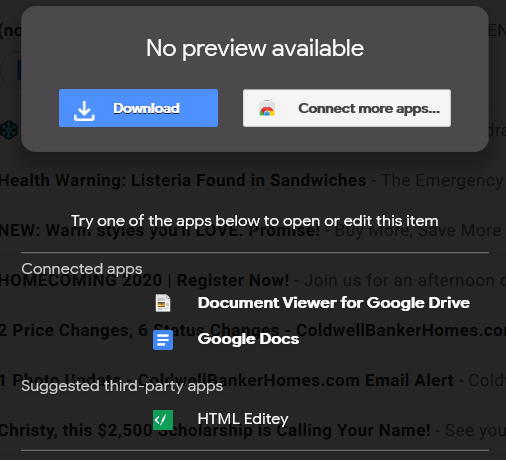
Once prompted, choose to open it as below. Again, this will appear in slightly different ways depending on your browser and operating system.

When the file is opened, you will see a page similar to below in your web browser. The sender from McLeod and the destination addresses will appear, and an option to Register for an account under the new email encryption service.
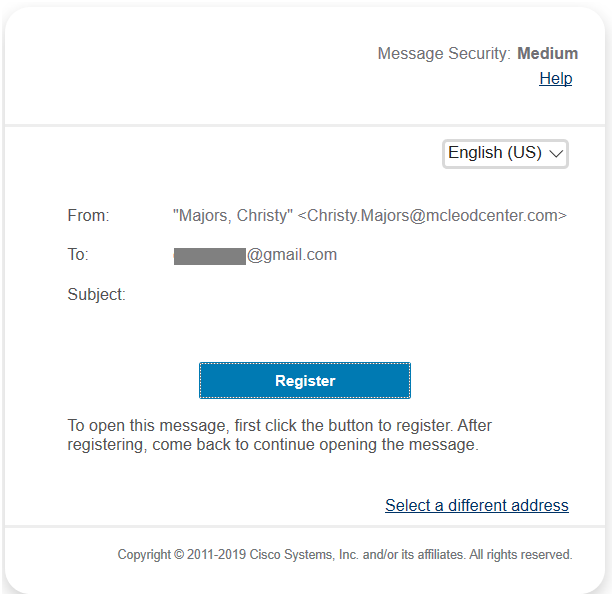
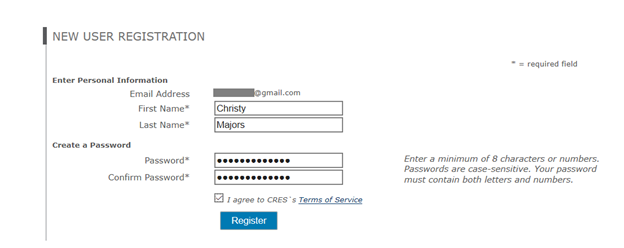
Add in your information, and create a secure password to register for your encryption portal account.
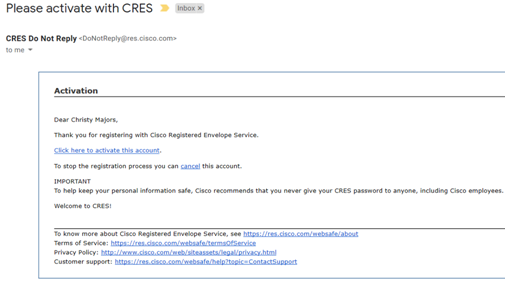
Once you click Register, you should see the following message. Check your email for the follow-up account activation message.
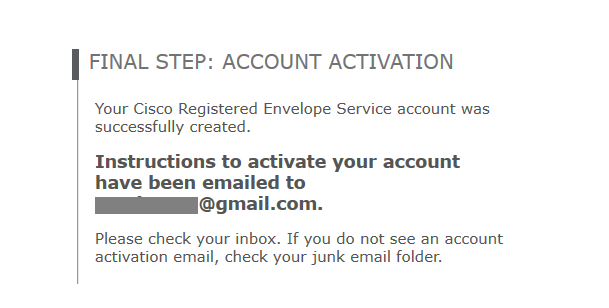
Click to activate your account in that email, and you will be able to access the encrypted items.
Comments
0 comments
Please sign in to leave a comment.